Business Value
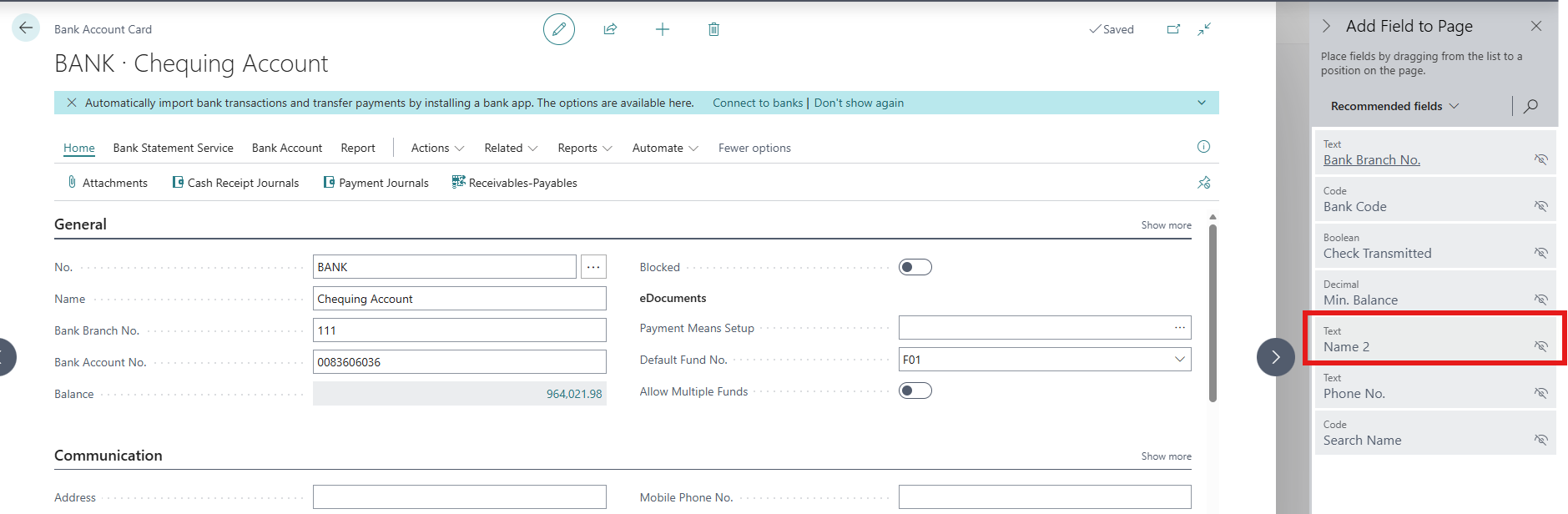
Bank names, branch names, and account descriptions often don't fit in the standard Name field. The Name 2 field gives you a second line for this information. It's now on the Bank Account Card, so you can view and edit it without leaving the page. The field is hidden by default, so the card stays uncluttered for users who don't need it.
Feature Details
Name 2 is now on the Bank Account Card as a hidden field that you can add through Personalization. More information on adding fields with Personalization can be found on Microsoft Learn - What you can personalize
Was this article helpful?
That’s Great!
Thank you for your feedback
Sorry! We couldn't be helpful
Thank you for your feedback
Feedback sent
We appreciate your effort and will try to fix the article