Business Value
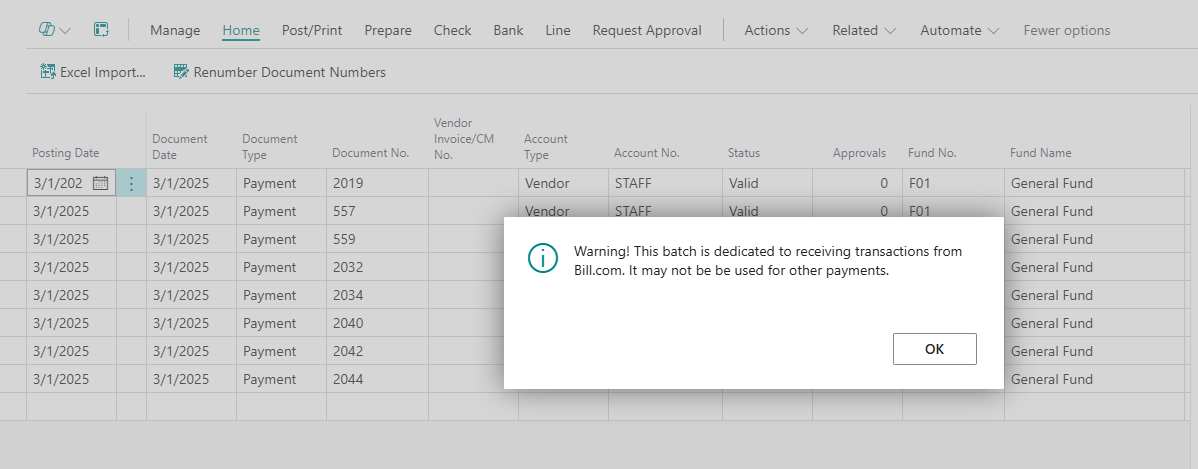
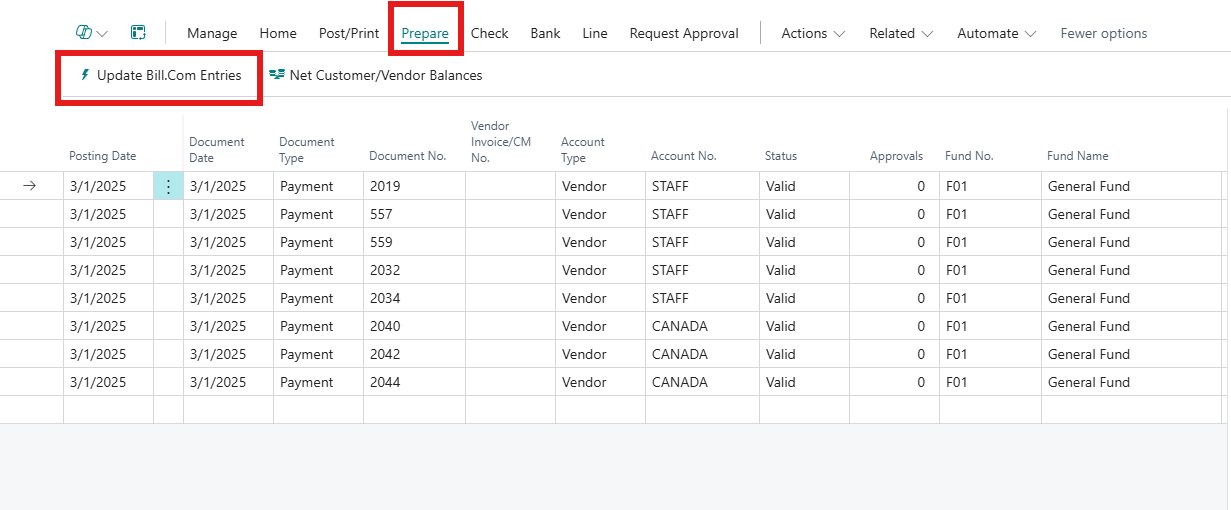
Users who open a Payment Journal Bill.Com batch, using search or with a bookmark, will get a warning message and see the Update Bill.com Entries action.
Feature Details
Fundamentals has an enhanced process for handling imported entries from Bill.com. More information on the Bill.com integration can be found here - Bill.Com Integration.
Users were experiencing an issue where the Bill.com action was not available from a Payment Journal, when accessing the Payment Journal page via search or bookmark. This issue has been resolved and now users will receive the initial Bill.com warning message and they will see the action available under Prepare >> Update Bill.Com Entries.
Was this article helpful?
That’s Great!
Thank you for your feedback
Sorry! We couldn't be helpful
Thank you for your feedback
Feedback sent
We appreciate your effort and will try to fix the article