Business Value
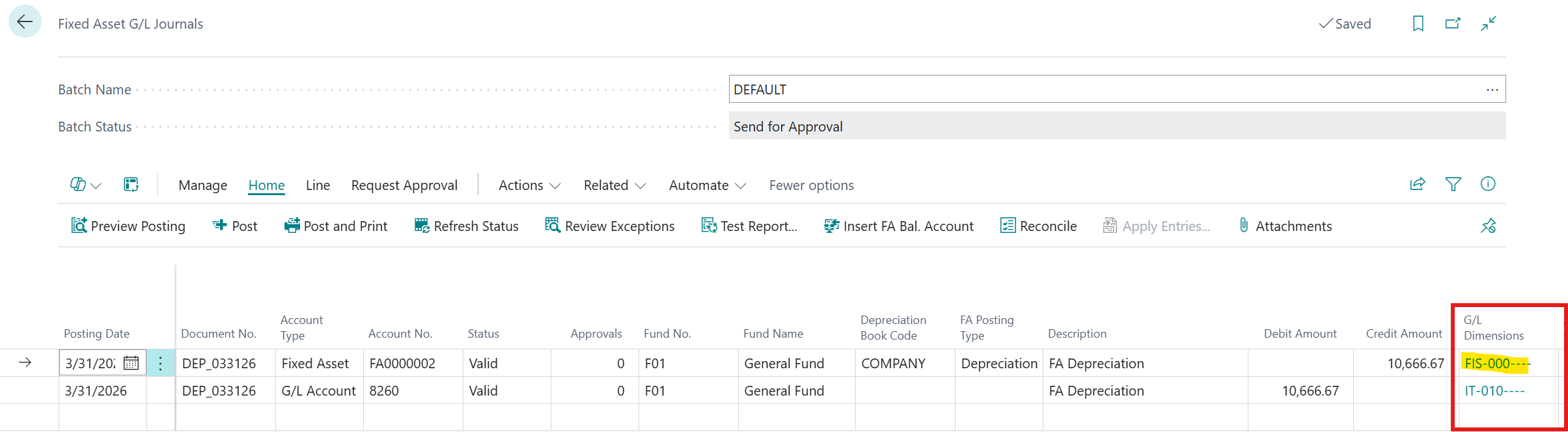
Fixed Asset depreciation entries will now automatically get set to the proper default value.
Feature Details
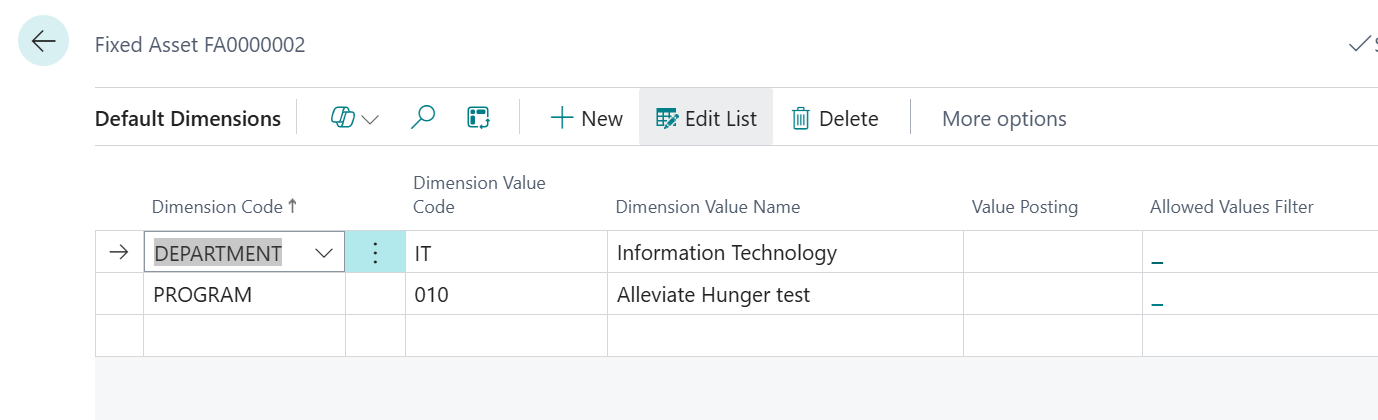
Business Central allows users to define default dimensions on Fixed Assets in order to automatically copy the dimensions to Fixed Asset entries. Additional information on Default Dimensions can be found on Microsoft Learn - To set up default dimensions
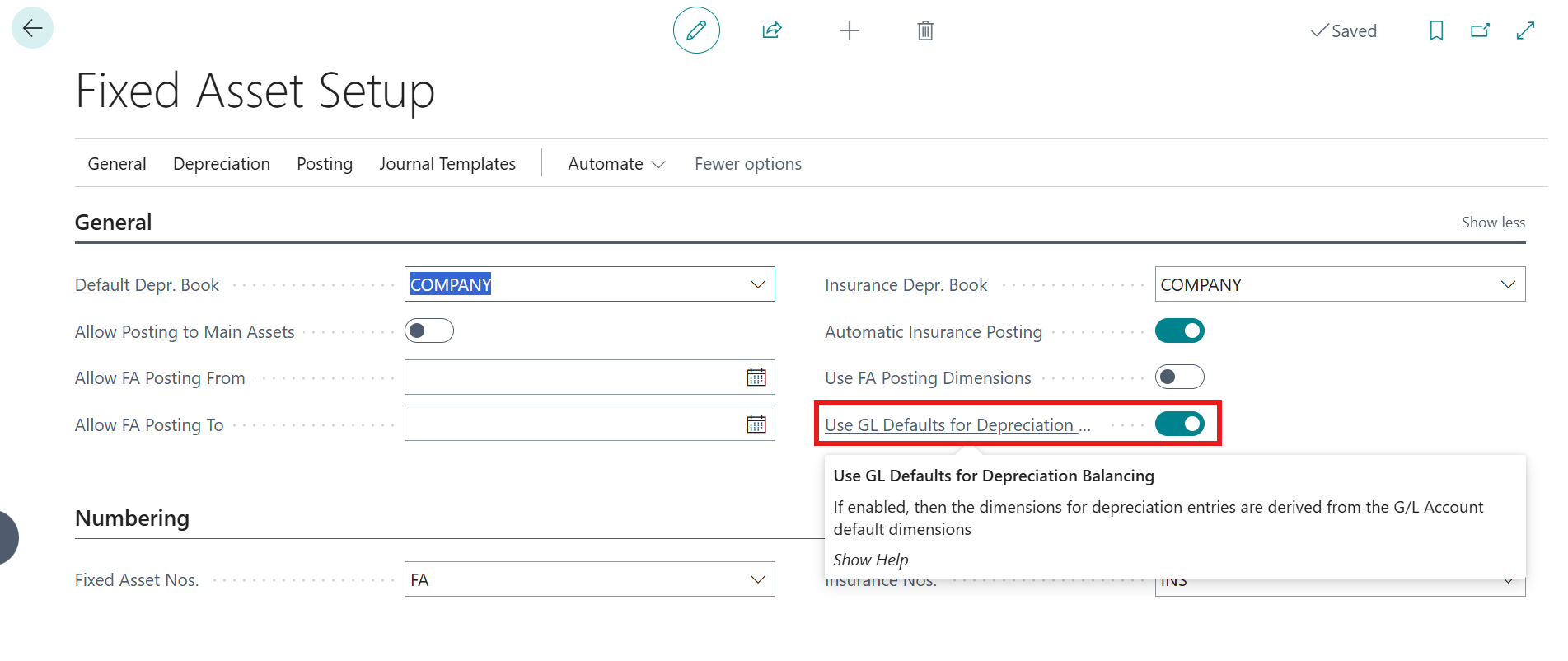
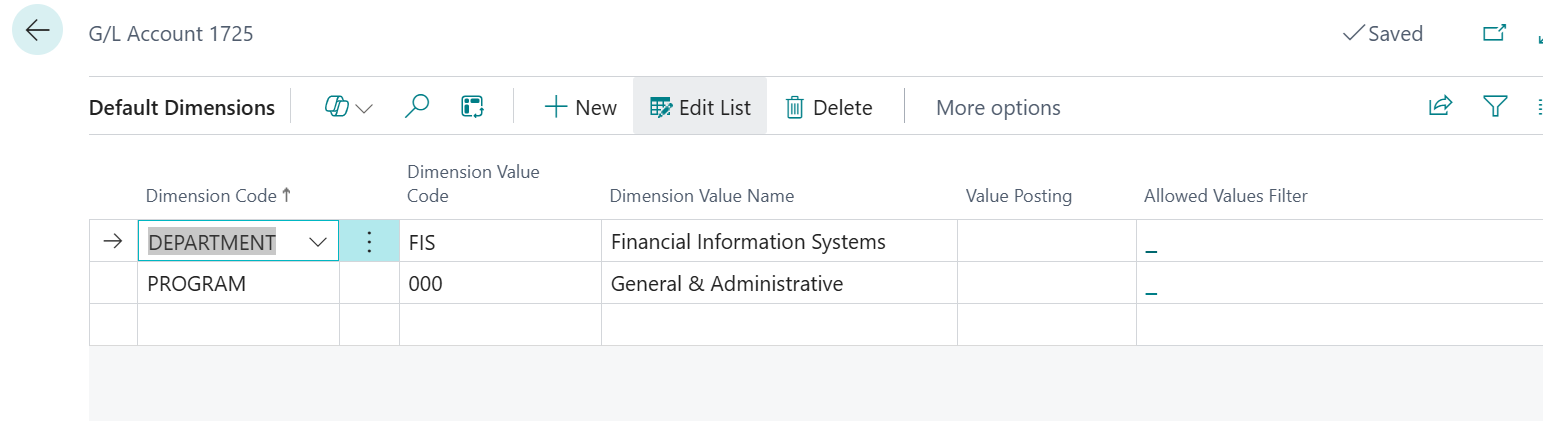
Fundamentals has a switch in Fixed Assets Setup that allows the default dimensions for depreciation to be set from the asset G/L account, overriding the defaults on the asset master record.
This feature will now work as originally designed.
Example -
Fixed Asset Setup
Fixed Asset Dimensions
G/L Dimensions for account 1725
Fixed Asset Depreciation Entry
Was this article helpful?
That’s Great!
Thank you for your feedback
Sorry! We couldn't be helpful
Thank you for your feedback
Feedback sent
We appreciate your effort and will try to fix the article