Business Value
By adding an option warning message, users who may have been setup with an old date in the Allow Posting From, will get a warning message to confirm they want to post into a closed, historical year.
Feature Details
Base Business Central controls posting with the use of posting periods. These settings can be defined in the General Ledger Setup (company wide), User Setup (user specific) and General Journal Templates.
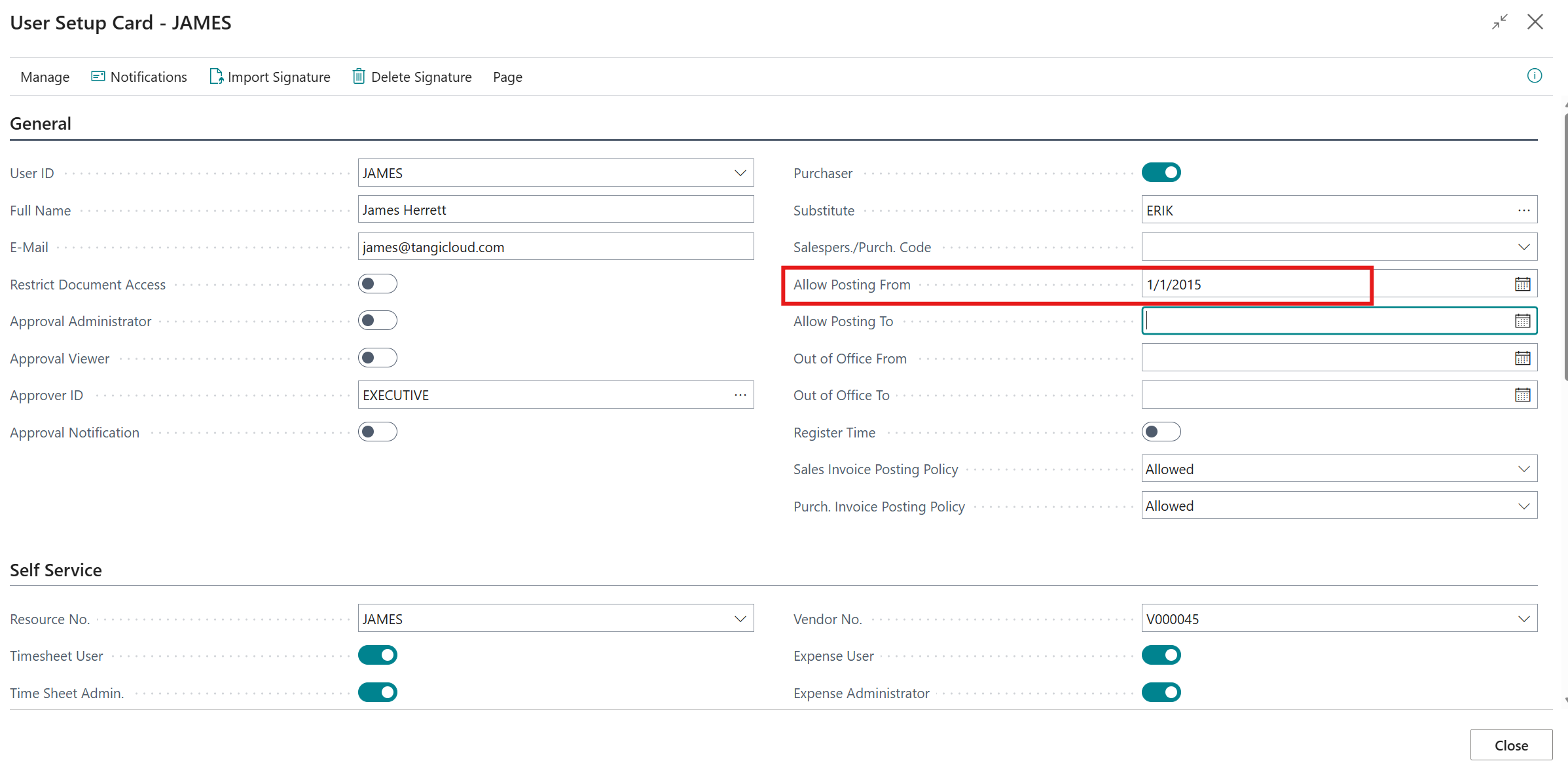
Previously, if a user was setup with an old date in the Allow Posting From in their User Setup Card, they could accidentally post into an old closed period.
Example - user James has the ability to post into 2015 because their User Setup Card dates will override the setup in the General Ledger Setup page.
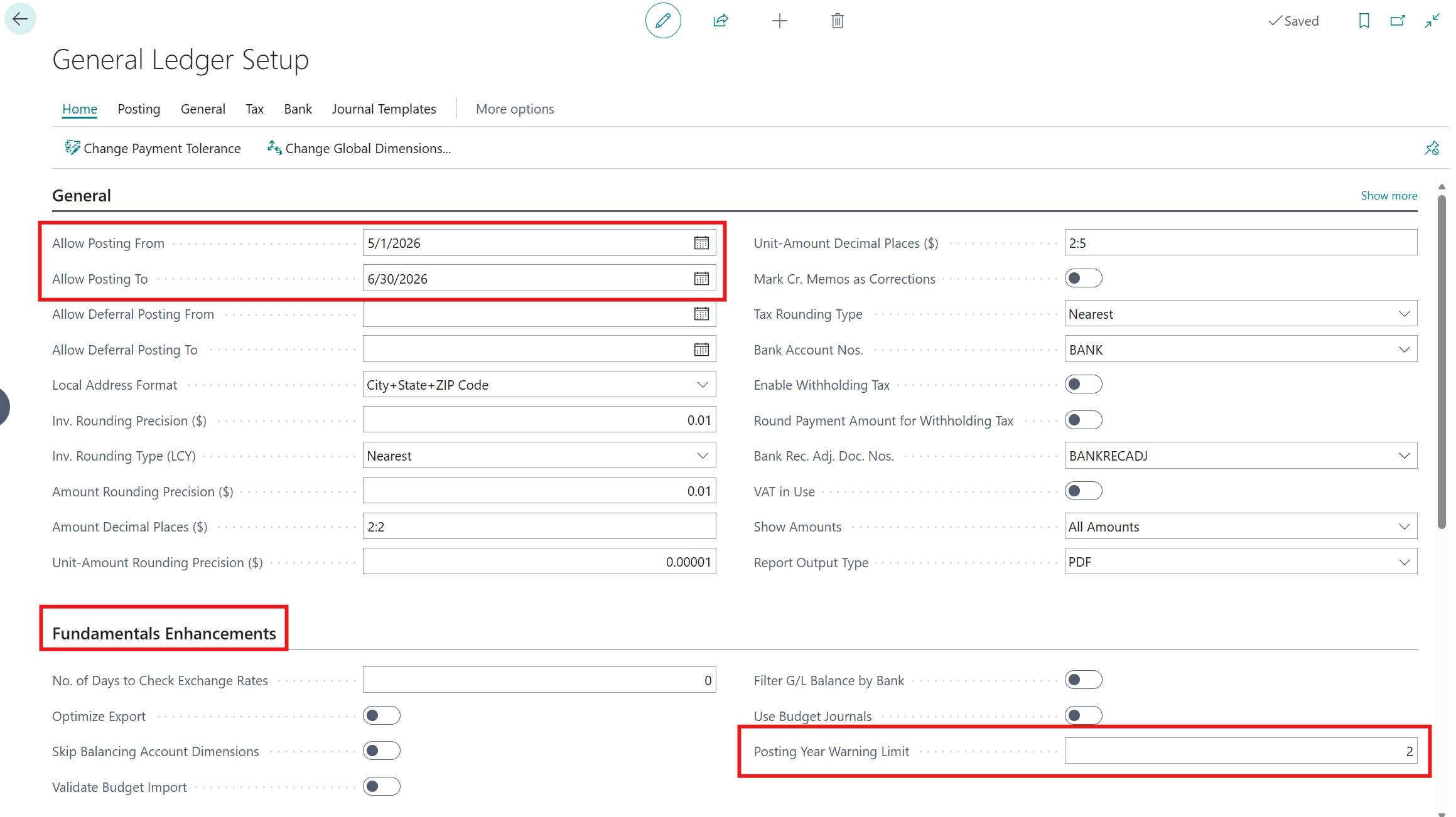
Fundamentals has now added an optional warning message to help prevent accidental postings.
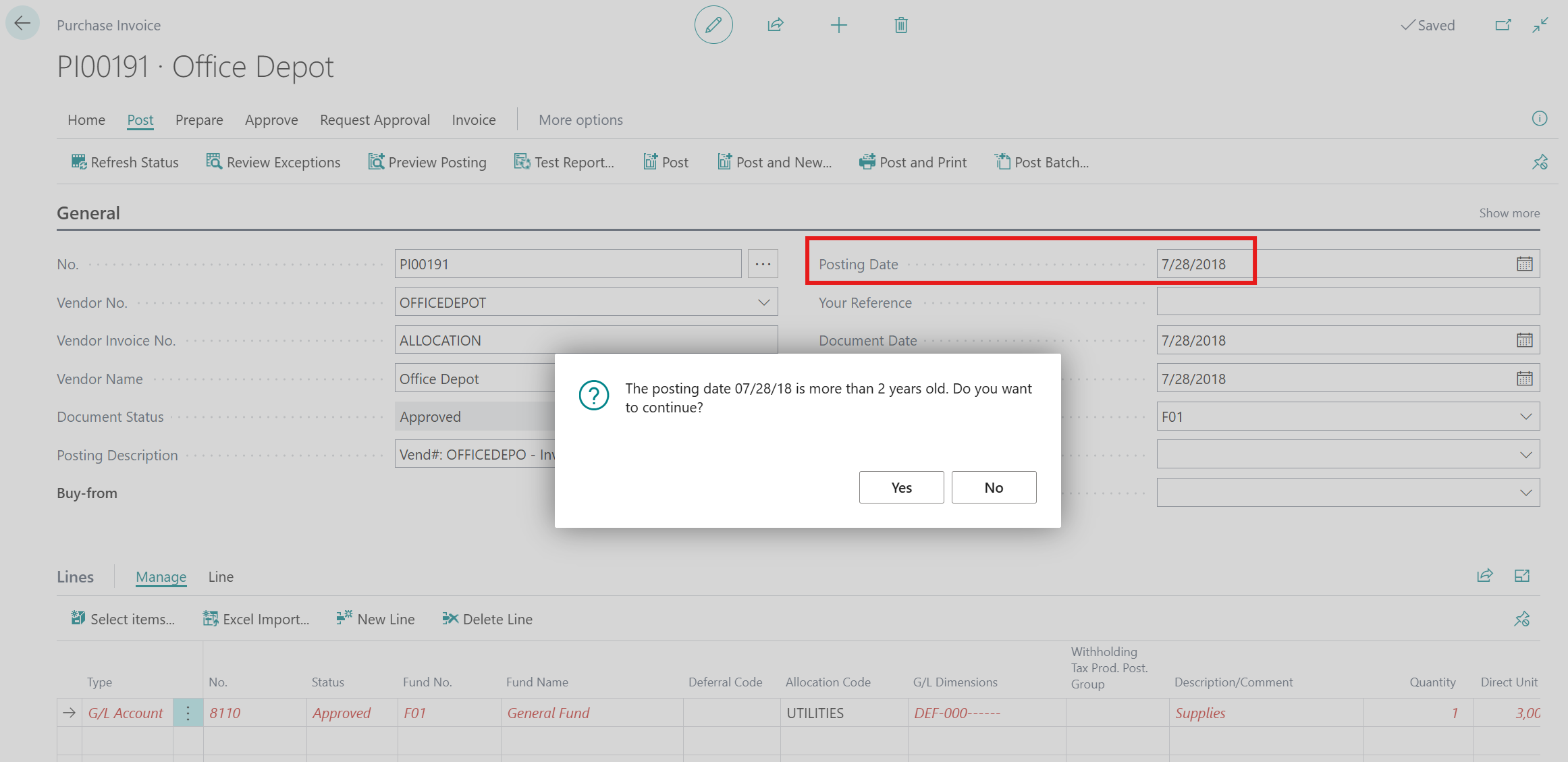
Example - General Ledger Setup allows posting into May and June only, with the exception of user setup overrides. Now user will receive a warning message when trying to post back farther than two years.
Please note - the use posting date formulas is highly recommended for controlling posting periods. Additional information can be found at Microsoft Learn - Dynamically calculate posting periods
Was this article helpful?
That’s Great!
Thank you for your feedback
Sorry! We couldn't be helpful
Thank you for your feedback
Feedback sent
We appreciate your effort and will try to fix the article